We have now entered the beta phase. In general, I expect this to be shorter than previous years, but we’ll see. It is a separate app that installs alongside the current app. On first install, your current configuration is copied over. After that point, changes are not observed on either side, they are completely separate configurations.
iOS/macOS/tvOS 26 are required. Roomie 9 and Roomie X do not talk to each other, every device must be one or the other. (They also don’t interfere with each other.) Roomie 9 configurations can be restored to Roomie X. Roomie X configurations cannot be restored to Roomie 9.
Use the “Submit Feedback” button in the app to join the beta program, include your forum name here to be added to the Beta forum if you are not already part of it from prior years. Because this is a separate app, none of the beta tester list from last year carried over, so we’re just going to start from scratch. If you have a reasonable configuration, you’re likely to be added quickly.
After some time, I may post a public beta link here as well.
Beta has concluded and Roomie Remote X is now deploying to the App Store. Thanks everyone for participating this year! Note that the final GM build at the App Store is slightly newer than the final beta so make sure to switchover to the production release.
If I am using multiple iPads and iPhones around the house, do I need to update the Primary first? I tried updating my phone before the Primary and got some funky results. Also, I am confused about license transfer. It I was on v9 with Unlimited Perpetual, do I need to buy an annual Unlimited license to use X?
I could state a rule about the order of upgrades, and if I did, the rule would be upgrade your primary first, get it working, and then upgrade your secondaries. But the other “obvious” rule is just “upgrade everything”. Either one of those should end up in the right place. And if it isn’t the right place, RRX doesn’t muck with RR9 so you still have a working system until everything is setup correctly.
However, your situation is probably not permissions or order of upgrade since Unlimited Perpetual doesn’t transfer (see many previous posts on that topic going back to 2024, also see the 2025 annual letter in the app.)
And, in what seems like my daily reminder on the forum at this point, anything like this is support and should be going through support so we can see the config and handle it correctly.
What’s the best vector for suggestions? After playing with X for a few minutes it looks great, and text is easier to read. I like the new links button. That’s a good concept I think.
There are some things like pulling down anywhere on the screen to select a room that I miss.It allows you to not have to reach your thumb all the way to the top of the screen to get to the room selection.
Anyway, I have thoughts and suggestions and I was wondering what the best way is. I don’t see the Help link in the about screen. I also don’t have any of my devices or activities showing up (they’re not in the drop-down menu. I just have Home and settings and about.) the activities are working in the user facing screen but no config. I didn’t add a specific controller, but it shows my phone as a controller and I understand the limitations of that based on the notes so I don’t think that’s the problem.
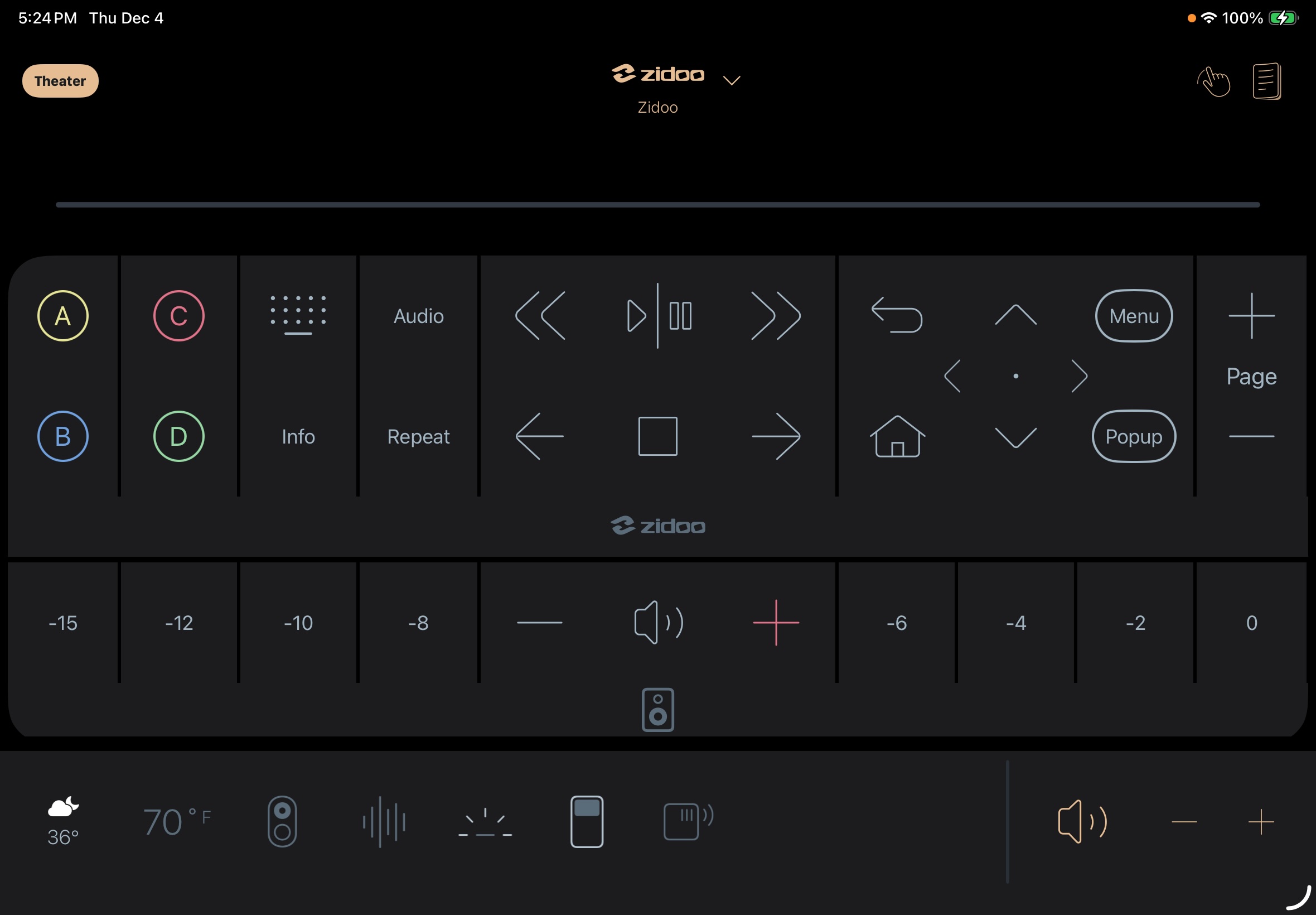
I’ve been playing with it a little but I’m struggling to replicate what I previously had set up. I use it solely as a controller for my theater with a primary mounted on the wall outside the door and the secondary mounted at my seat. Once the activity is started the controller displays everything I need. There are also some other buttons that are nested away that I dont need all the time. However, now when it launches it shows all the other activities on the left side of the screen. I can close that but ideally I want to set it where it opens without showing the other activities. Then I cant seem to figure out how to configure the controller to display all the buttons I want. The AV processor buttons are all nested away and I have to open the pop up controller to get to them. If I try to create a new module or add a module it only gives me the option to add buttons from the primary device (ATV, Zidoo, Kaleidescape). I tried copying commands but not sure how to then paste them. I’m sure it’s possible to do what I want but I just can’t figure it out. Is there a detailed guide other than the QuickStart guide that could help? I’ve also attached a screenshot of what my controllers look like in Roomie 9 to give an idea of what Im after.